Work.Walk.Repeat.

Waalk reads speed, distance, and time directly from your walking pad, then saves the walk to Apple Health, even while your iPhone is locked.

First 10 walks free  ·  One payment, yours for life

iPhone running Waalk mid walk: 5,925 estimated steps, 3.73 km, 56:00 at 4.0 km/h, with Pause and End and Save

01 · Straight from the belt

0.00km
0Estimated steps
46:00Elapsed
0Active kcal

Your phone can sit this one out. Waalk reads distance directly from your pad over Bluetooth, so your walk is recorded while your phone stays on the desk. Steps are estimated from that distance and your stride, and labelled that way.

Speed, time, distanceRead directly from the pad over FitShow or FTMS, the two protocols walking pads use.
Steps, estimated honestlyWaalk estimates steps from belt distance and your stride, 63 cm by default, and labels them as estimated. Calibrate your stride against a counted walk to improve the estimate.
Phone down. Keep walking.Keep your iPhone locked and within Bluetooth range while Waalk records. The pad's own Bluetooth pulses keep the recording alive in the background.

From your first step to your saved walk. Scroll to read it.

From your first step to your saved walk. Tap through the real screens.

1 / 8

Today

Your daily steps, brought together.

Watch, phone, and pad against your daily goal, deduplicated the way Health does it so nothing counts twice.

Start Walk

One button starts the belt and the recording.

Waalk starts the belt itself at the speed under the button. On treadmills that do not hand over control, the pad's own remote still works.

From the belt

Distance to the metre, time, and belt speed, every second.

Read straight from the pad over Bluetooth. Energy is net, from walking METs and your weight, never the belt's calorie counter.

Goal tab

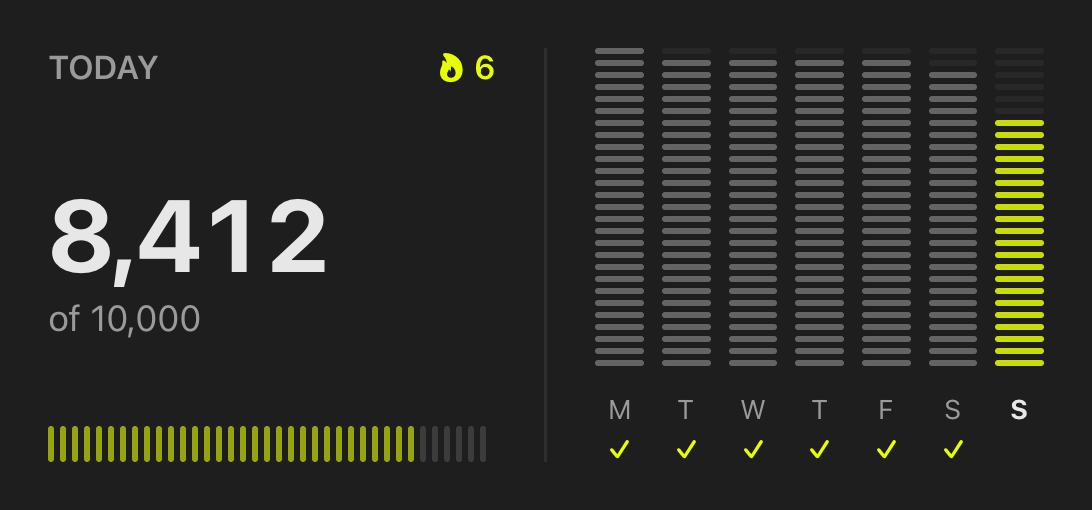
A daily goal, a streak, and the last seven days.

The segmented bar fills as the day goes. The Compete tab beside it holds head to head challenges.

Waalk Record tab, ready to start a walk Waalk recording a walk: estimated steps, distance, time, speed, Pause and End and Save Waalk Goal tab: today's steps against the goal and the last 7 days Waalk Sessions tab: saved walks with Health status

Pad

Pair once. It reconnects when the pad powers up.

Even from the background. Speaks FitShow and FTMS, the two protocols walking pads use.

Estimated steps

Estimated from distance and your stride, and labelled that way.

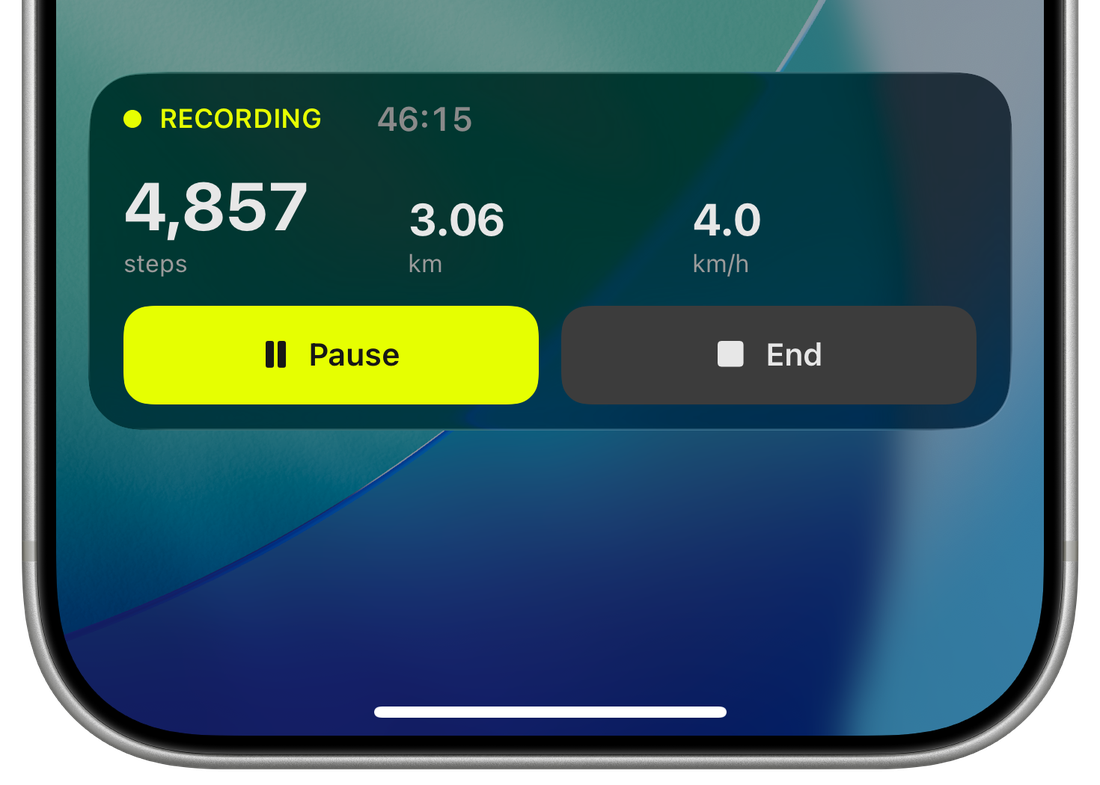
Waalk estimates steps from belt distance and your stride. 3.06 km at 63 cm is 4,857. Calibrate your stride against a counted walk to improve the estimate.

Pause. End. Saved.

Also on the lock screen and in the Dynamic Island.

End and Save writes the Indoor Walk workout to Health. Lock the phone, leave it anywhere.

Sessions

Every walk, accounted for.

A tick means saved. Recovered walks from a crash or a failed save retry with one tap and never duplicate.

Ready

Pair once. Then just walk.

Your day counted once against the goal, your remembered pad, and the one button that starts the belt and the recording.

Record

Your walk, at a glance.

Distance, time, and belt speed every second. Steps estimated from distance and your stride, and labelled that way. Pause. End. Saved.

Goal

A little progress, every day.

A daily goal, a streak, and the last seven days. The Compete tab beside it holds head to head challenges.

Sessions

Every walk, accounted for.

Walks stay on the phone until Health confirms them. A tick means saved. Recovered walks retry with one tap and never duplicate.

02 · On every screen

Less reaching. More walking.

The walk comes to you. In the Dynamic Island, on the lock screen, on your wrist, and next to your work.

Dynamic Island

A walker and your step count sit in the island for the whole walk. Press and hold for distance, speed, time, and the Pause and End buttons.
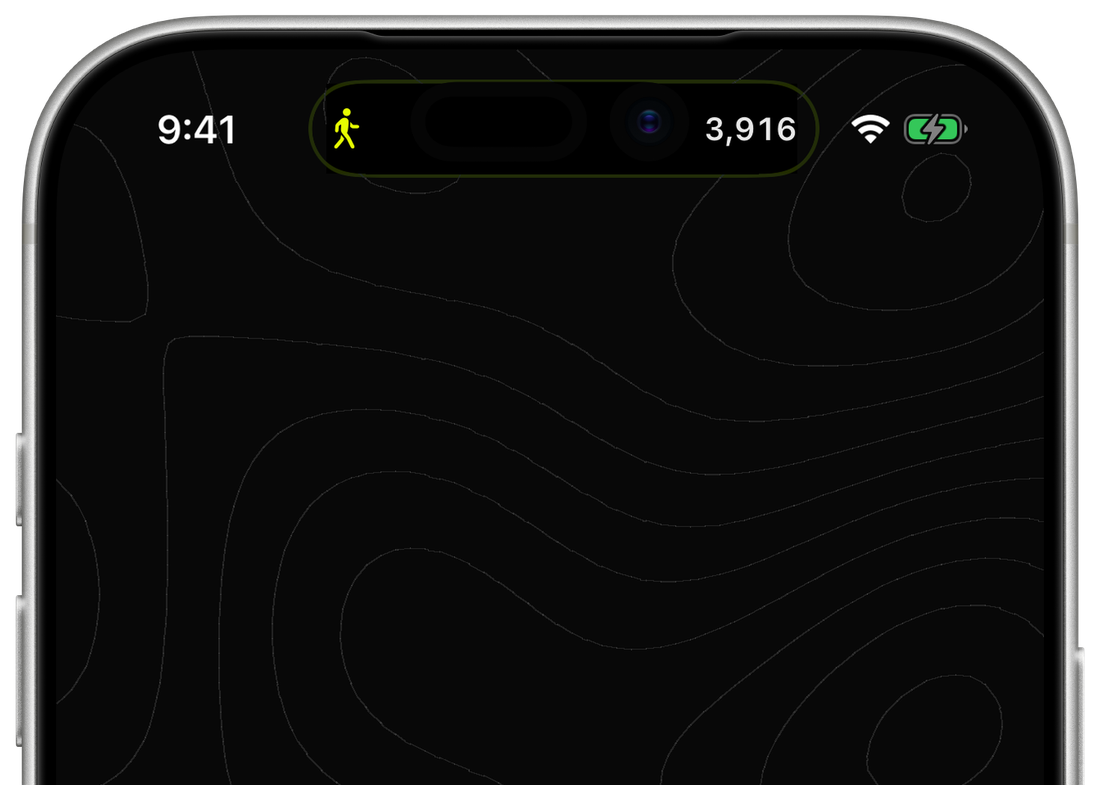
The Dynamic Island during a walk: a walking figure and the step count

Lock screen

The Live Activity mirrors the app. Steps, time, state, and the two buttons. The phone never needs unlocking during a walk.

9:06
Tuesday 8 September
1,912
steps
18:30
Recording
PauseEnd

Apple Watch

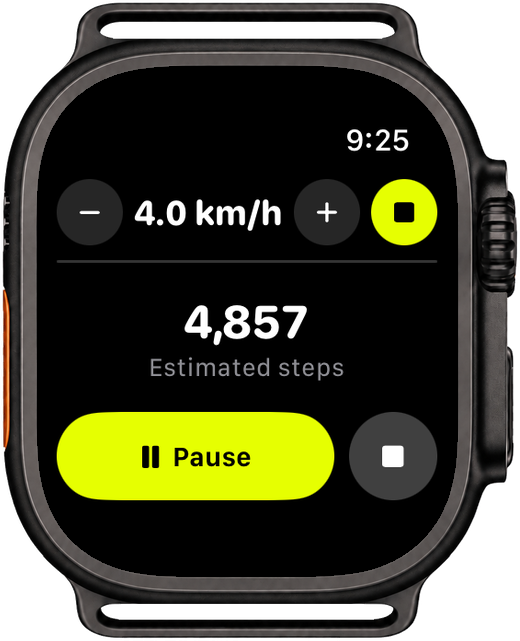
A remote on the wrist. Start, pause, end, and nudge the belt speed without reaching for the phone. The iPhone still does all the Bluetooth and Health work.

Recording
1,912
Estimated steps
PauseEnd
4.0 km/h+

Home and lock screen widgets

Today's steps against your goal, with the streak. Small and medium on the home screen, circular, rectangular, and inline on the lock screen.
Walking6d
8,412
of 10,000
8.4k
8,412 steps6d streak · 1,588 to go

And in your Mac's menu bar

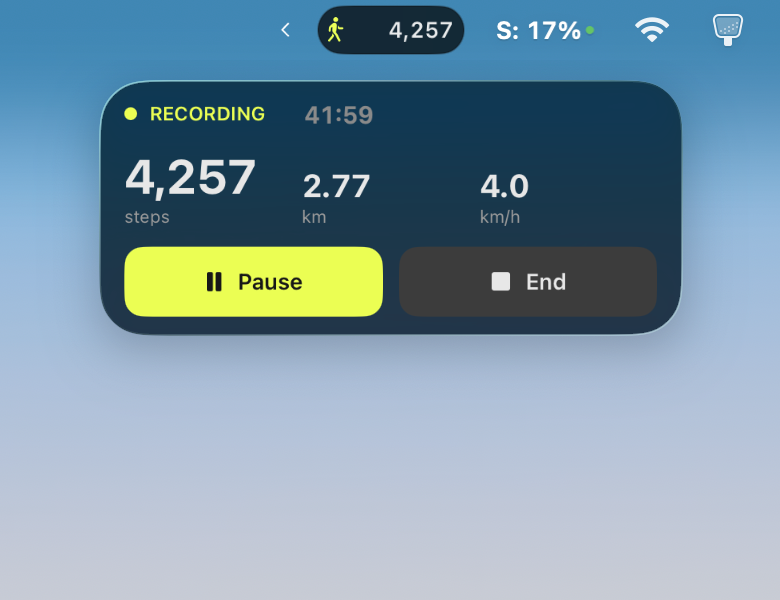
The Live Activity shows up in the Mac menu bar as well: a walker and your step count, and one click opens the full panel with time, distance, speed, Pause, and End. Nothing to install on the Mac. It needs a Mac signed into the same Apple Account with iPhone Mirroring set up.
03 · Apple Health, written once

1
One walk. One saved workout. An Indoor Walk with steps, distance, and net active energy attached. Move and Exercise rings get credit.

Works with Apple Health
A retry, never a repeatEvery sample carries the walk's ID. If a save is interrupted, the retry checks Health first and writes only what is missing, so nothing duplicates or inflates.
Net energy, MET basedWalking METs times your weight, resting energy removed. The belt's calorie counter is never trusted.
Per minute samplesThe same shape Apple's own sources write, so cadence and hourly charts render correctly. Implausible step rates are refused.

04 · A Tuesday

You walk. Waalk does the rest.

One morning, start to finish, with your phone out of the way.

pad on

The pad wakes. Waalk reconnects.

Pair once. From then on it reconnects the moment the pad wakes, even from the background.


Toputure TP8 · Connected
Toputure TP8Connected · FitShow · remembered
belt moving

The belt moves. The numbers follow.

The Live Activity appears with steps, distance, and time. Pause is the big button, End sits beside it.


Belt moving · Recording
phone locked

Your phone is asleep. Waalk isn't.

The pad's own Bluetooth notifications wake Waalk in the background. No timers, no keep awake, no warm phone.


Phone down · Steps up
1,912 steps·18:30
end and save

Step off. End. Saved to Health.

One Indoor Walk workout. Written once, tagged with the walk's ID, never duplicated on retry.


4,857 steps · 3.06 km · 46:00
Waalknow
Saved to Health4,857 steps · 3.06 km · 46:00 · 142 kcal. Indoor Walk workout added.
recap

Monday morning, one honest recap.

Last week's total, the change from the week before, and the distance as a place you know. A daily goal and streak live on the Goal tab.


41,300 steps · Up 12%
Waalk8:00
Last week: 41,300 stepsUp 12% on the week before. That is two Bondi to Coogee walks.

05 · Head to head

Pick a window. Share a code. Walk the most. Win the challenge.

Challenge a friend to the same afternoon. Both pads count, both phones see the live score, and the result lands when the clock runs out. No Waalk account to create. Challenges sync through iCloud.

Steps counted in the window include the walk in progress, so a late push still counts.

Compatibility

Your pad. Our honest answer.

Works with TOPUTURE TP7 and TP8. Most Bluetooth walking pads that use the standard fitness machine profile should work, for recording and, where the machine allows it, belt control from the app. This list is kept current as pads are verified.

TOPUTURE TP7, TP8Verified on hardware, used daily. Belt start, speed, pause, and full recording.
Verified
Other FitShow padsSame protocol as the TP8. Show up in Bluetooth as FS-, FSGN, or TR510-T under many brand names. Should work, not yet verified on hardware.
Should work
Standard Bluetooth treadmills (FTMS)Recording and belt control are built in, but hardware testing is still pending. Start, stop, and speed control depend on the treadmill.
Awaiting verification
KingSmith WalkingPad, pads without BluetoothDifferent protocol or no radio. Not supported.
No
Your walks stay yours.Walk records stay on your iPhone and in Apple Health. No Waalk account. No analytics. Head to head scores sync through your own iCloud only when you choose to compete.

Questions

Before your first step.

Is it a subscription?No. Your first 10 walks are free. After that, one payment of AU$14.99 unlocks Waalk for life, with no subscription or renewals.
What happens after 10 walks?Recording new walks stops until you unlock. Your saved walks stay visible and everything already written to Health stays there.
Does it work with my pad?TOPUTURE TP7 and TP8 are verified. Most Bluetooth pads using the standard fitness machine profile should work, including belt control where the machine allows it. See the compatibility list above.
Do I need the FitShow app?No. Waalk talks to the pad directly. Close FitShow before you walk, the pad accepts one connection at a time.
Can my family share it?Yes. Family Sharing is enabled on the unlock.
Where do my steps appear?In Apple Health, with the Indoor Walk workout, distance, and active energy. Move and Exercise rings get credit. The Fitness app's Steps tile only counts iPhone and Watch motion steps, for every third party app.
Does the pad count steps?Waalk estimates them from belt distance and your stride, 63 cm by default, and labels them as estimated. Calibrate your stride against a counted walk to improve the estimate.

Walk free. Pay once.

10walks free

One payment. Yours for life.

Unlock for AU$14.99 after your first 10 walks to keep recording. No subscription or renewals. Your saved walks and Apple Health history stay available if you choose not to unlock.

Local pricing is shown in the App Store · Family Sharing included · Restore Purchases in the app